Posts

Showing posts with the label Power Platform

Document Retention & Archival With Email & Logging
Image
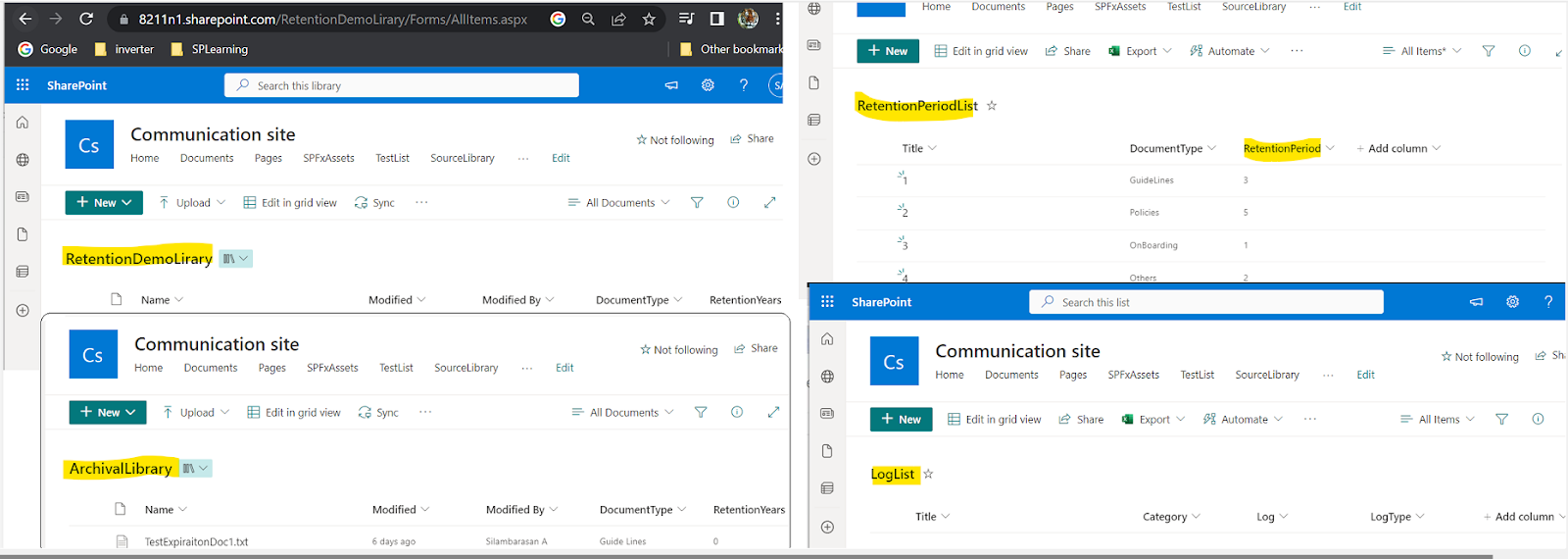
 InProgress....     I n this post we will see how to set a archival for a document library using "scheduled cloud flow".     Expiration years configured from separate list (Based on document type)     Log will be added to a SharePoint list on success/Error     Send email to owner once document it archived. Document Archival:     Refer this document archival post as part1 , we will be continue update this flow by adding above 3 functionalities. In this post we will learn about: <will be updated>  <will be updated> SP List & Libraries:     Below are the Source & Archival Library. Expiration Period Config List & Error log list. <>:     <>

Token type is not allowed Error While using Client Id Client Secret

Image
       When you are using Client Id and Client Secret first time you might get this below error        {"error":"invalid_request","error_description":"Token type is not allowed."}         Reason :  For new SharePoint subscription Grant App Permission is disabled by default  or the browser link https://xxxx-admin.sharepoint.com/_layouts/15/appinv.aspx is disabled .  To   enable this feature, we need to connect to SharePoint using Windows PowerShell and then  run  set-spotenant -DisableCustomAppAuthentication $false Open Windows power shell > Run below scripts Install - Module - Name Microsoft . Online . SharePoint . PowerShell $adminUPN = "<Email address of a SharePoint administrator account, example: jdoe@contosotoycompany.onmicrosoft.com>" $orgName = "<name of your Office 365 organization, example: contosotoycompany>" $userCredential = Get - Credential - UserName ...

SPFx Run with elevated privileges

Image
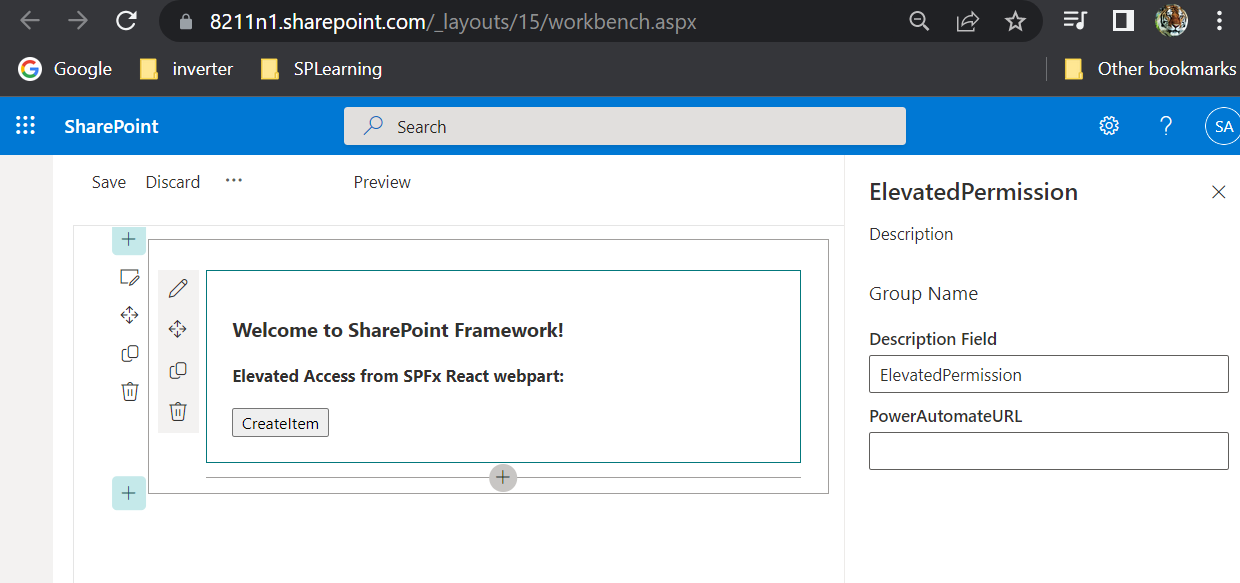
In this post we will create SharePoint list item using elevated access from SPFx webpart (by calling power automate post URL) Steps Involved: Register our add-in in SPO with full control permission Create Power Automate: It will create SP List item with above registered add-in Call Power Automate from SPFx webpart  In this post we will learn about: /layouts/15/appregnew.aspx  - Page to create Client Id & Client Secret /_layouts/15/appinv.aspx  - Page to give permissions to Client Id & Client Secret App Permission Request  xml   - where we mention scope & permission level of app permission Get Access Token   - Using client id & client secret from automate we will call http to get this Tenant ID   - Site settings>Site collection app permissions(tenant id will be available after @) httpClient.post()  - used to call power automate post URL from spfx (sphttpclient.post() -used in rest api calls) Access T...

PowerApps Delegation

Image
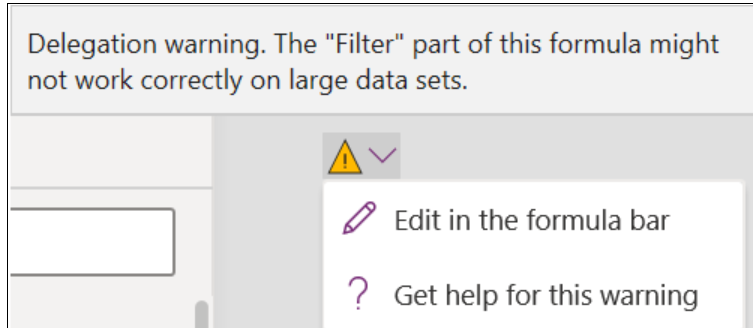
     Delegation is a very important concept that you have to understand, especially when you will be working with large data sets in PowerApps. First, let’s know that “delegate” means to assign tasks to someone else.(Here power app will delegate data processing to data source) What is PowerApps Delegation?      In PowerApps when you are working with the data sources (Dataverse(CDS), SQL, SharePoint, etc…), the data processing tasks are assigned to data sources rather than done by PowerApps itself. This is called PowerApps Delegations . Delegable Data Sources: Delegable data sources mean the data sources that process data logic in a similar to PowerApps does. Not all the data sources support all the functions of PowerApps. Delegable data sources: Common Data Service (CDS) also called as Dataverse SQL Server SharePont Delegable functions Not Delegable:  When we working with large data some function will not work(not Delegable), it will give you a warnin...

Document Retention & Archival using Power Automate

Image
    In this post we will see how to set a archival for a document library using "scheduled cloud flow", flow will run every day 12A.M & move the expired files to ArchivalLibrary In this post we will learn about: Scheduled Cloud Flow (Recurrence) Actions : Get Files(properties only) - get all file properties of library Initialized Variable - create new variable in power automate Set Variable - Assign values to existing variable Apply to each - Looping all items from library/list Other Actions:   Create Item, Get item, Update item, Delete item - For SharePoint List Create file, Get files(properties only), Update file, Delete file, Move file, Copy file, Check out file, Check in file, Create sharing link for file or folder, Get file metadata, Get file properties, Get file content using path, Get file Content, Update file properties, etc - For SharePoint Library Condition : Condition - If & If no based on this we can execute our conditions Rename block headings: R...