Debug SPFx React webpart with Visual Studio Code
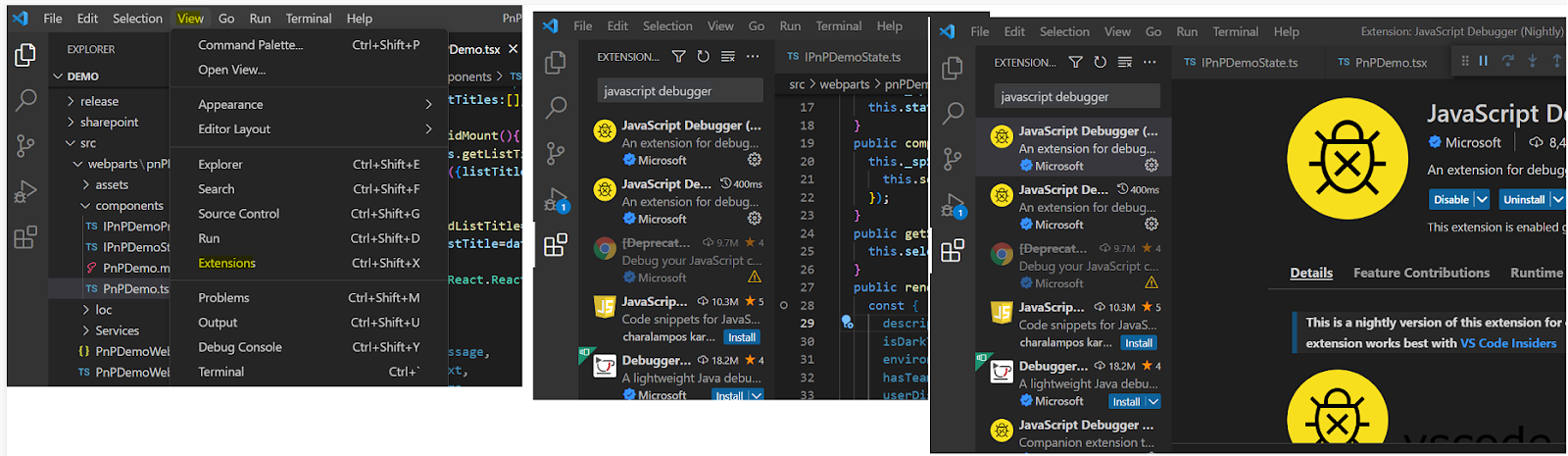
Method 1: This is a simple method, we will add debugger in our code & in workbench page developer tools we can debug our code. Method 2: We can directly debug from Visual Studio code. Go to Visual studio code > Extensions > search for " javascript debugger " > install Click on Run & Debug (Control + Shift + D) > Add Configuration > Update you SP Workbench url Place your break point(I have placed in Render method), Open Terminal (Control + Shift + ~) > run " gulp serve --nobrowser " Once it is completed > Run > Start Debugging Now in the workbench page when you add your webpart, debugger will hit in our VS Code. Refer this Link for more details