Posts

Showing posts with the label jquery

jquery callback methods for asynchronous loop to finish

Some times jquery loop statement will not wait until the ajax call completion. For this case we can use the jquery callback method for looping ajax calls. In the below example arrayValue is passed into a call back function. this function will  be executed until we call the 'callback()' (which is called in the else part). we need to write this function inside a function. function parentFunction() { var deferred = $.Deferred(); (function Task(i,callback) { if(i<arrayValue.length) {  /*your code here*/ var temp = yourFunctionCall(arrayValue[i]);  temp.done(function() { Task(i+1,callback) }) } else { //this call will terminate the function callback(); } }) (0,function(){alert('Completed');deferred.resolve();}); return deferred.promise();  } Please refer the following links for more details  Link1  ,  Link2

Get Login Name and Display Name by User ID using SharePoint 2013 REST API

We can pass the user id to the below function & we can get the user name. function getUser(id){ var returnValue;   jQuery.ajax({    url: "http://YourSite/_api/Web/GetUserById(" + id + ")",    type: "GET",    headers: { "Accept": "application/json;odata=verbose" },    success: function(data) {            var dataResults = data.d;       //get login name       var loginName  = dataResults.LoginName.split('|')[1];       alert(loginName);         //get display name       alert(dataResults.Title);    }  }); } Please refer this link for more details  Link1

Auto Complete Textbox in Jquery

Image
HTML & Jquery code: <html> <head>                 <script src=" https://ajax.googleapis.com/ajax/libs/jquery/1.10.2/jquery.min.js "></script>                 <script src=" https://ajax.googleapis.com/ajax/libs/jqueryui/1.10.2/jquery-ui.min.js "></script>                 <link href=" https://ajax.googleapis.com/ajax/libs/jqueryui/1.10.2/themes/smoothness/jquery-ui.min.css " rel="stylesheet"/>                 <script>                 $(document).ready(function(){               ...

jquery popup window Example

Image
Save the below code as a html file & open with IE or any browser. HTML & Jquery Code: <html>                 <head> <script src="https://ajax.googleapis.com/ajax/libs/jquery/1.10.2/jquery.min.js"></script>          <script src="https://ajax.googleapis.com/ajax/libs/jqueryui/1.10.2/jquery-ui.min.js"></script> <link href="https://ajax.googleapis.com/ajax/libs/jqueryui/1.10.2/themes/smoothness/jquery-ui.min.css" rel="stylesheet"/>  <link rel="stylesheet" href="https://cdn.datatables.net/1.10.10/css/jquery.dataTables.min.css"/> <script type="text/javascript" src="https://cdn.datatables.net/1.10.10/js/jquery.dataTables.min.js"></script> <script type="text/javascript" src="https://maxcdn.bootstrapcdn.com/bootstrap/3.3.6/js/bootstrap.min.js"></script> <script...

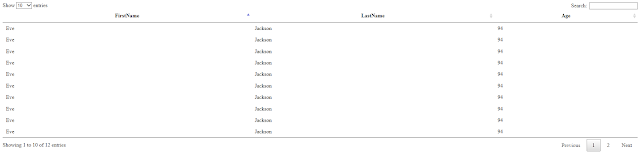
jquery.dataTables Example

Image
Save the below code as a html file & open with IE or any browser. HTML & JS Code To use this Jquery datatable we need to use <thead> and <tbody> tags & number of <td> columns also should be same in thead and tbody tags. <html>      <head>        <script src="https://ajax.googleapis.com/ajax/libs/jquery/1.10.2/jquery.min.js"></script>        <!--        <script src="https://ajax.googleapis.com/ajax/libs/jqueryui/1.10.2/jquery-ui.min.js"></script>      <link href="https://ajax.googleapis.com/ajax/libs/jqueryui/1.10.2/themes/smoothness/jquery-ui.min.css" rel="stylesheet"/> -->        <link rel="stylesheet" href="https://cdn.datatables.net/1.10.10/css/jquery.dataTables.min.css"/>          <script type="text/javascript" src="https://cdn.datatables.net/1.1...