Posts

Showing posts with the label react

SPFx with PnPJS CRUD Operations (V3)

Image
Create new SPFx React webpart         Follow this post to create new SPFx solution & open it in VS Code.           Note: All file creation & Basic details of each files are available in this post. Final Output:      Here we will be getting all the SP list names into dropdown list & doing CRUD operations in the selected list. Install PnPJS:       Run this below command to install PnPJS. (Note: Here we use PnPJS Version 3, sp & graph objects have been deprecated. We will be using spfi         npm install @pnp/logging @pnp/common @pnp/odata @pnp/sp --save Create "pnpjsConfig.ts":                In PnPJS Version 3 sp  and  graph  objects have been deprecated and will need to be replaced ( link ). So we are using this new config file. (RightClick on webpart folder>newFile>pnpjsConfig.ts) webpart.ts: Initial...
PnPJS Introduction

 PnPJS ( Patterns and Practices Client-side Libraries): PnPjs is a collection of fluent libraries for consuming SharePoint, Graph, and Office 365 REST APIs in a type-safe way. You can use it with SharePoint Framework, Nodejs, or JavaScript projects. Install PnPJS in SPFx use the below commant.(Latest version 2.14.0 as of Nov 2022) npm install @pnp/logging @pnp/common @pnp/odata @pnp/sp --save PnP Packages:     Below are the some basic packages we can use. @pnp/common    – Provides shared functionality across all pnp libraries @pnp/config-store    – Provides a way to manage configuration within your application @pnp/graph   – Provides a fluent API for working with Microsoft Graph @pnp/logging    – Light-weight, subscribable logging framework @pnp/nodejs    – Provides functionality enabling the @pnp libraries within nodejs @pnp/odata  – Provides shared odata functionality and base classes @pnp/pnpjs  – Rollup library of...

CRUD Operations using SPFx React Webpart & Rest API (SPHttpClient)

Image
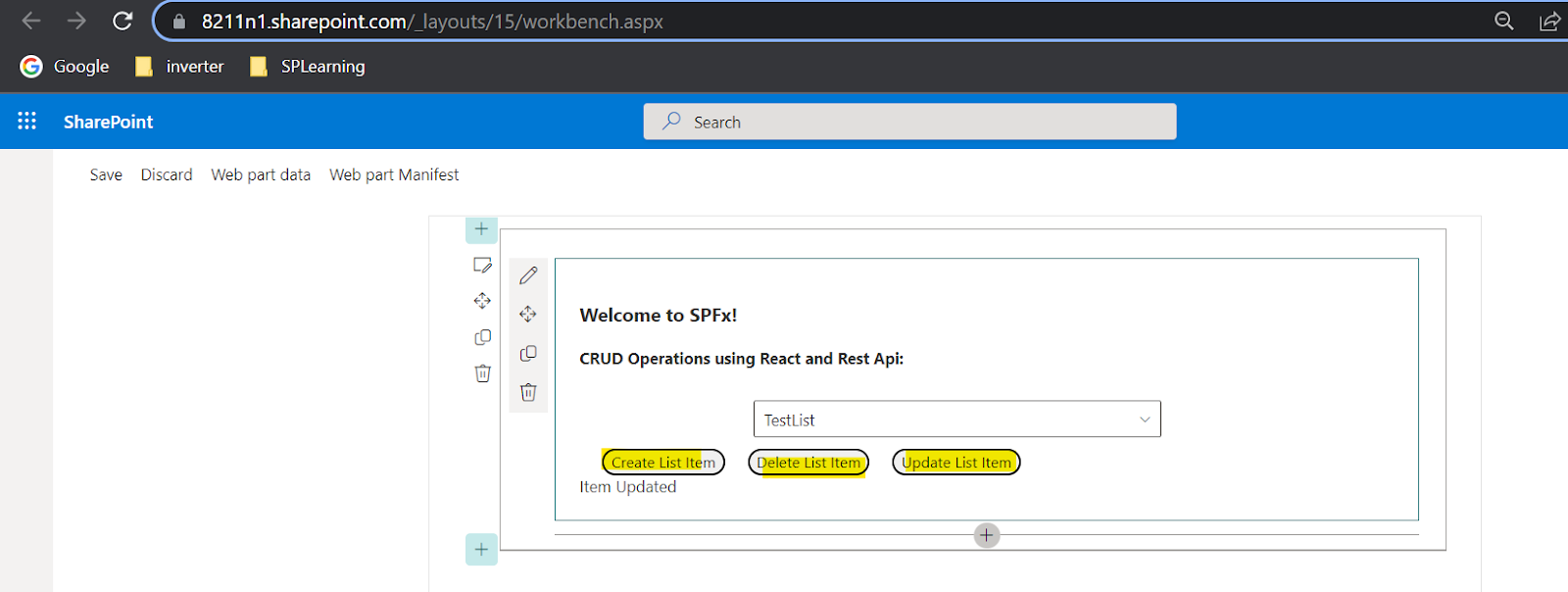
      We will be covering below topics in this post. Office UI Fabric React(Fluent UI) Intro Create new SPFx React webpart Setup basic code structure  Setup SP Workbench(To test webpart): Deploy sppkg to App catalog Step 1: Read Operation: (Show all SharePoint list names to dropdown): Step 2: Create Operation: (Create new item to SharePoint list using button click): Step 3: Delete Operation: (Delete list item by button click): Step 4: Update Operation: (Update list item by button click): Code for CRUD Operations: Final Output:                We will be using "Office UI Fabric React" as a front end which is a official front end framework for office 365. If you are first time working SPFx React webpart then please go through this SPFx React Basic concepts Office UI Fabric React Intro:  Its a official front end framework for office 365  It provides various controls like buttons, labels, dropdowns, document...